Home
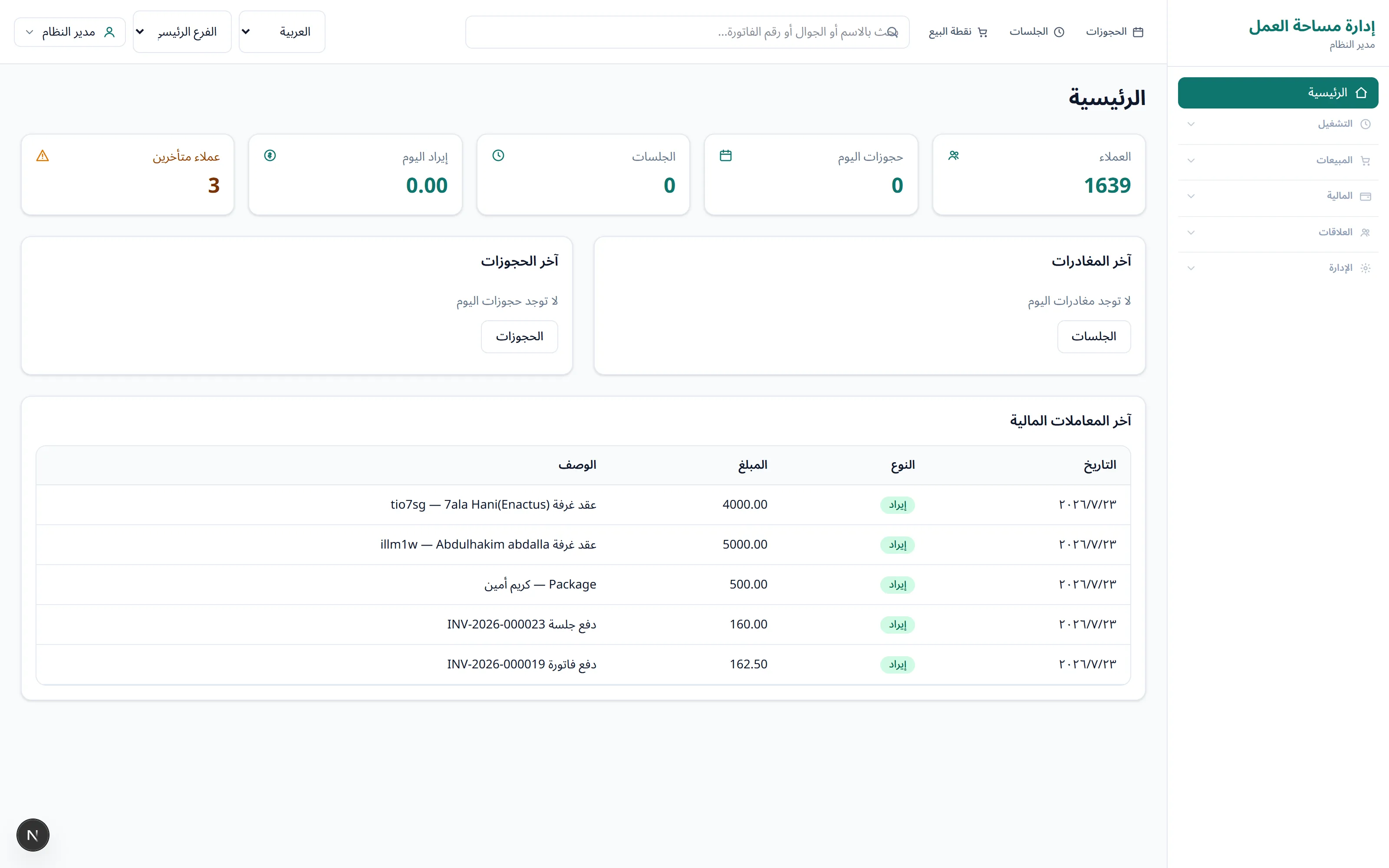
Customer count, today’s bookings, open sessions, today’s revenue and late payers, all in front of you as soon as you log in.
MK Coworking APP is coworking management software built for Arabic-speaking teams. Bookings, sessions, POS, packages and the cash drawer live in one place instead of being split across Excel, WhatsApp groups and a paper notebook.
These are the daily problems that cost space owners the most time, and what the app does about each one.
| What happens today | With MK Coworking APP |
|---|---|
| Sessions are written on paper and the bill is estimated at closing time. | A session opens with a live timer and the bill closes itself when the member leaves. |
| Two people booked the same room for the same hour. | The calendar warns you about an overlap before you save the booking. |
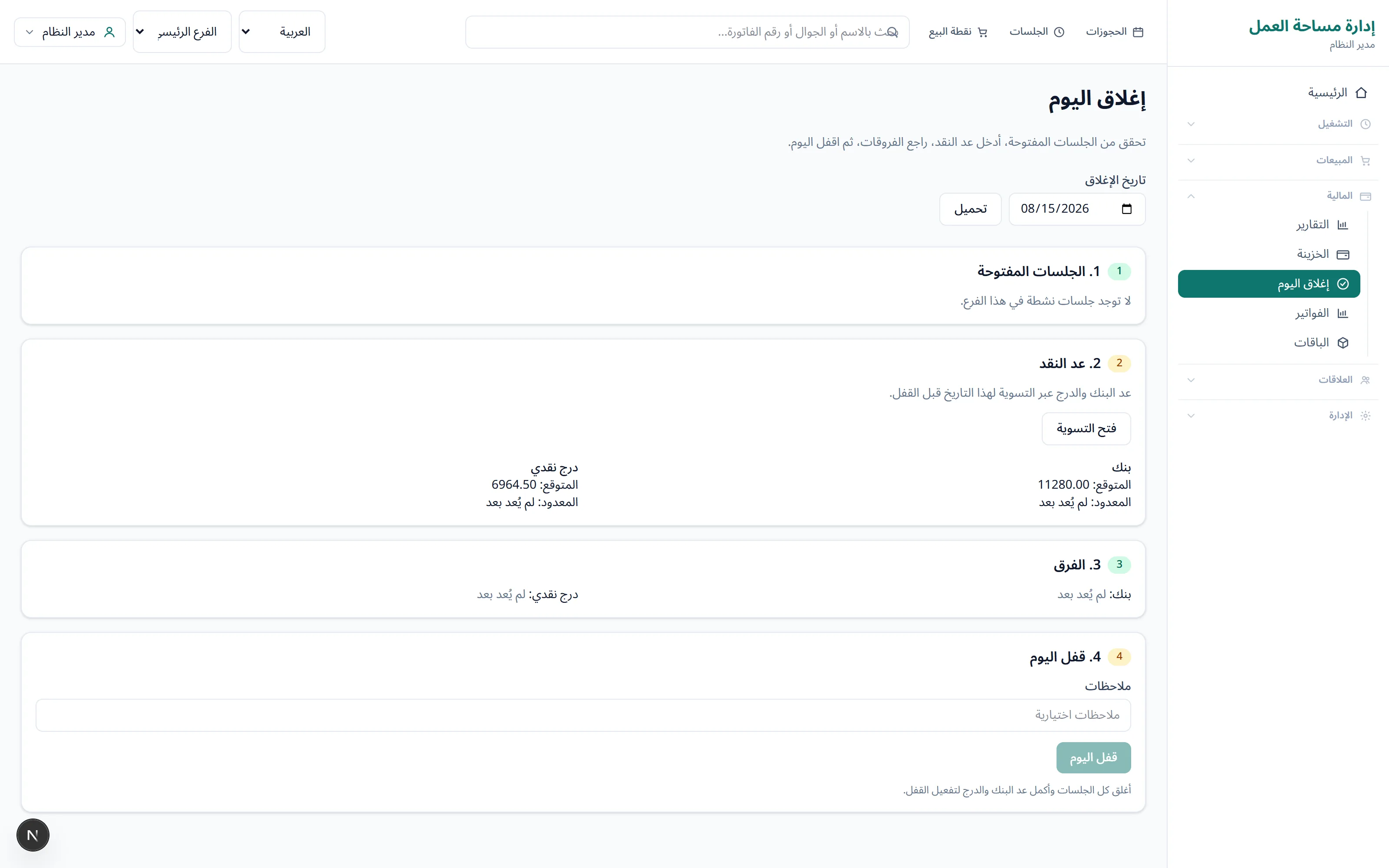
| The cash in the drawer does not match the notebook and nobody knows why. | Bank and drawer are tracked separately, and you count the cash and close the day. |
| A member is late paying and nobody noticed. | Late-paying members show up on the home screen the moment you log in. |
| Each branch keeps its own file and nobody sees the whole picture. | All branches sit behind one login, and each employee is limited to their own branch. |
These are real screenshots from the app.
Customer count, today’s bookings, open sessions, today’s revenue and late payers, all in front of you as soon as you log in.
Day, week and month calendars. If a booking overlaps another one, you know before you save it.
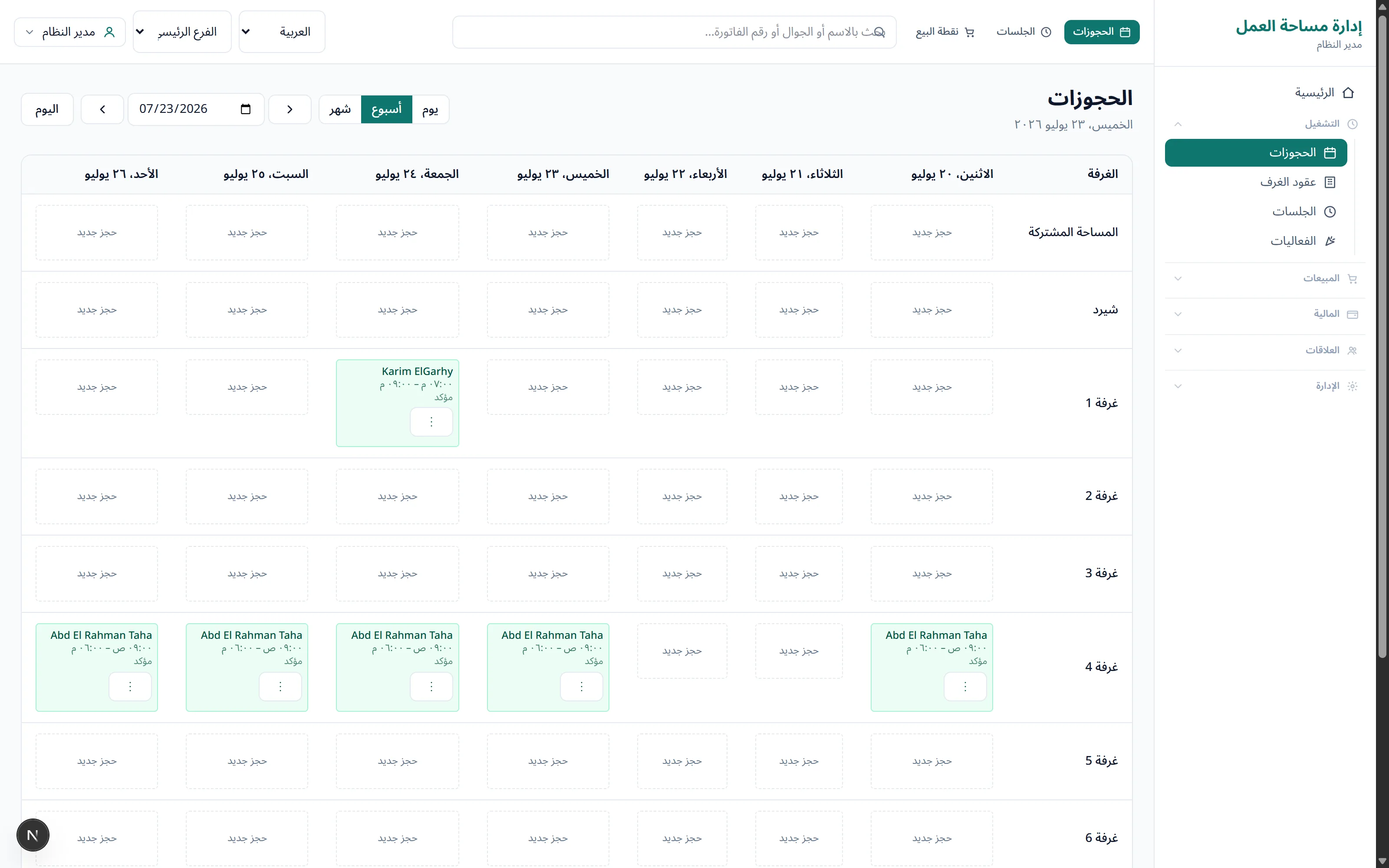
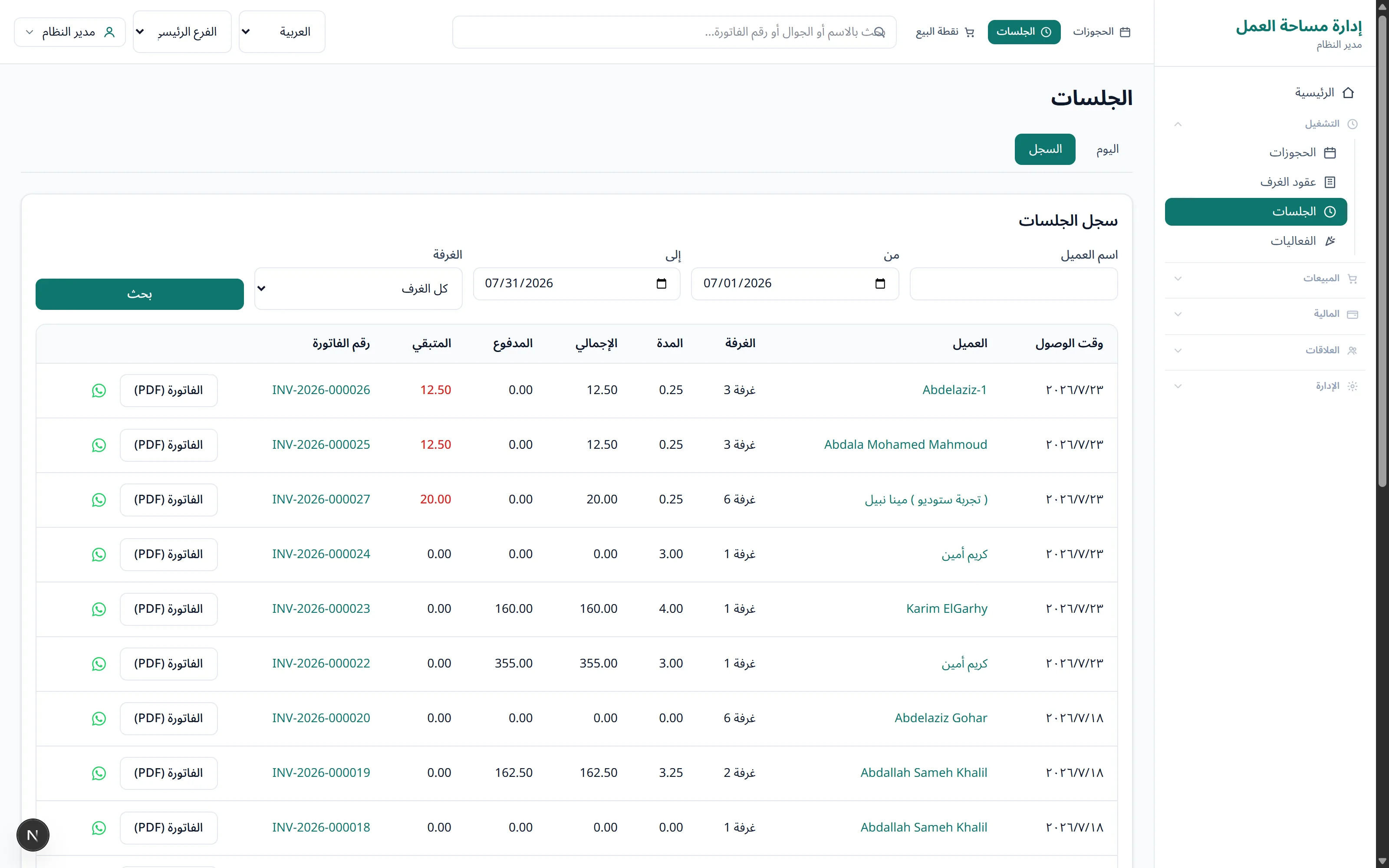
Check a member in, let the timer count the time, and add drinks and services to their tab until they leave.
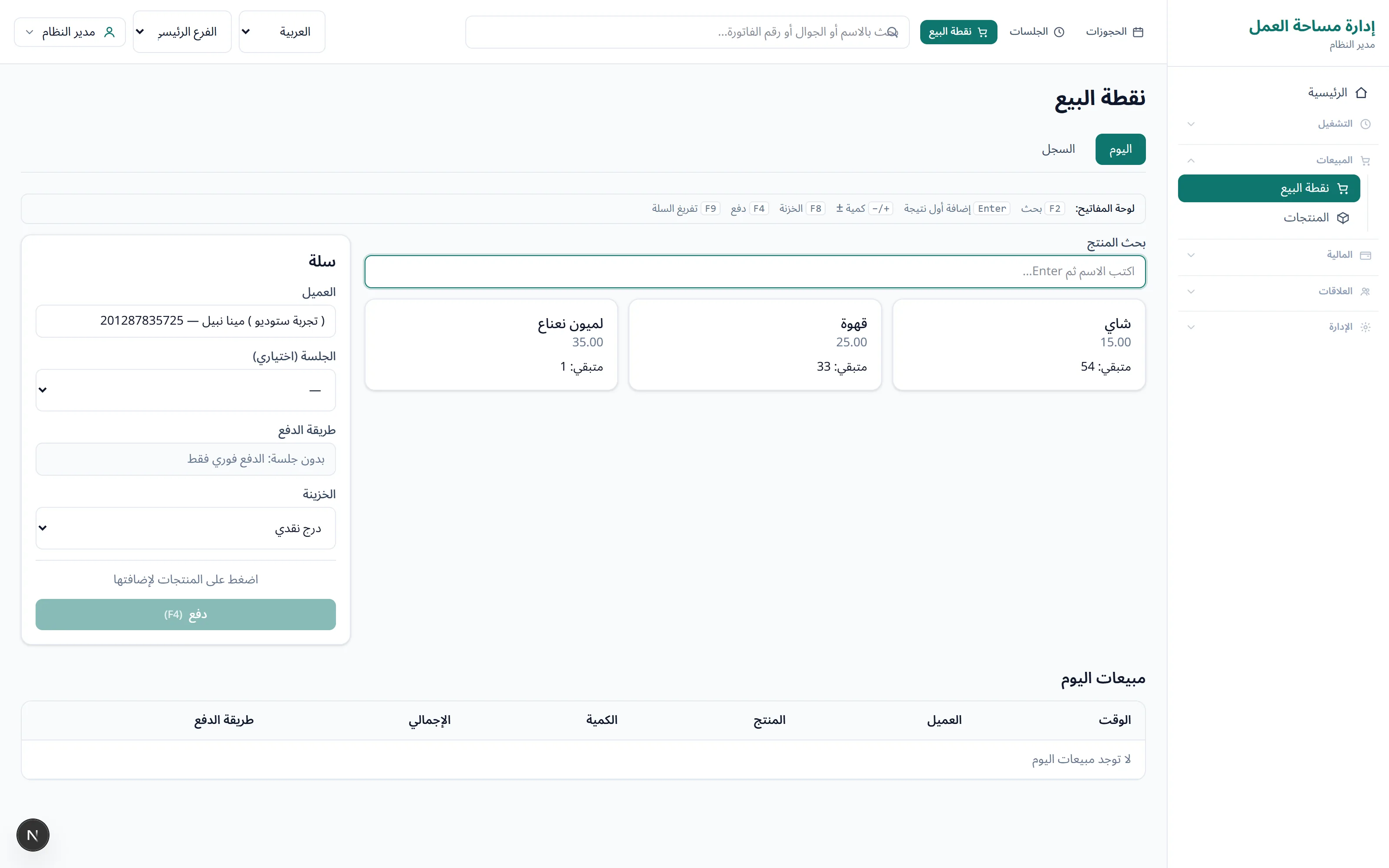
A fast cart. The member pays now or goes on their tab, and the receipt prints on a thermal printer.
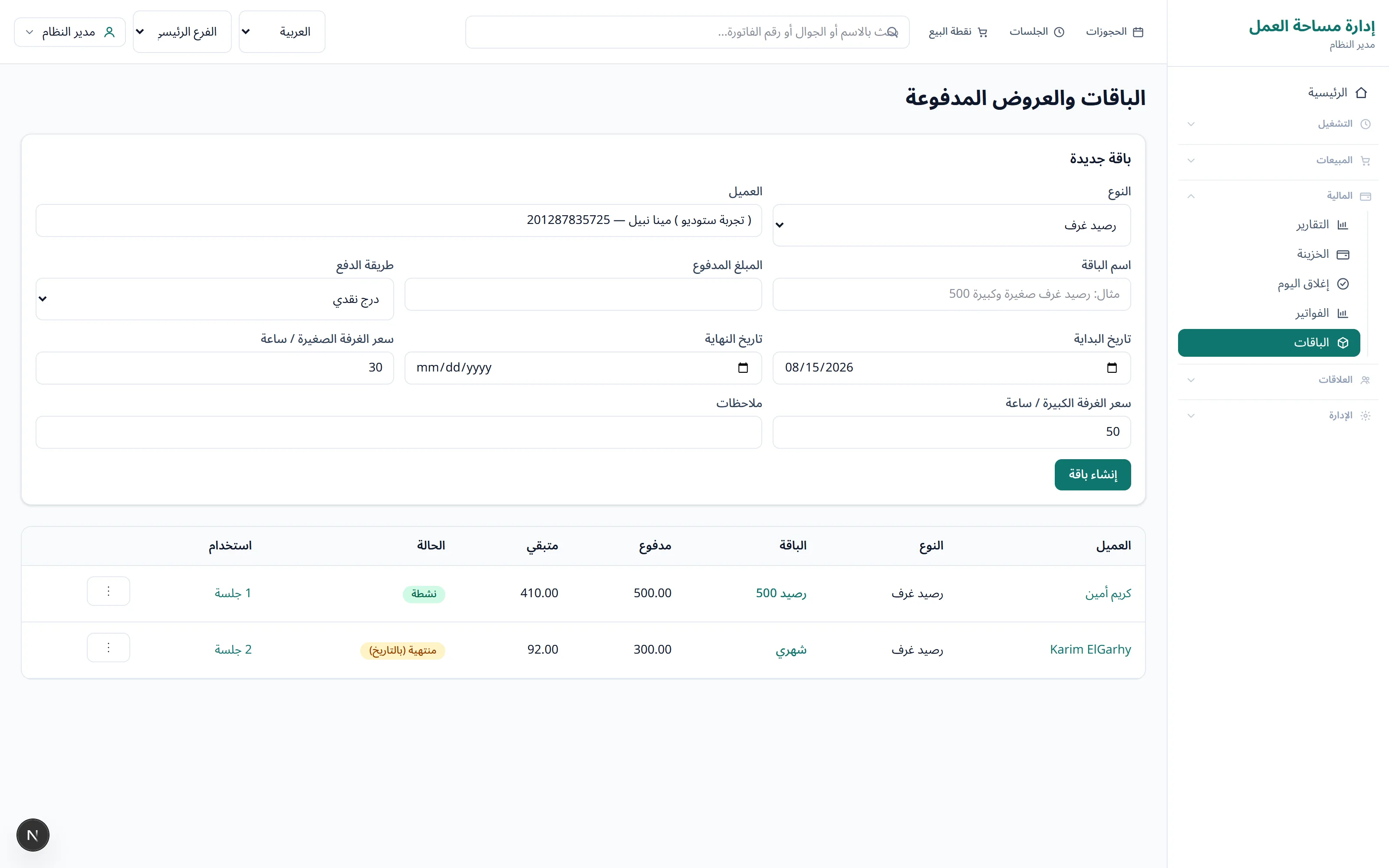
Packages, monthly room leases and their payments, all in one place.
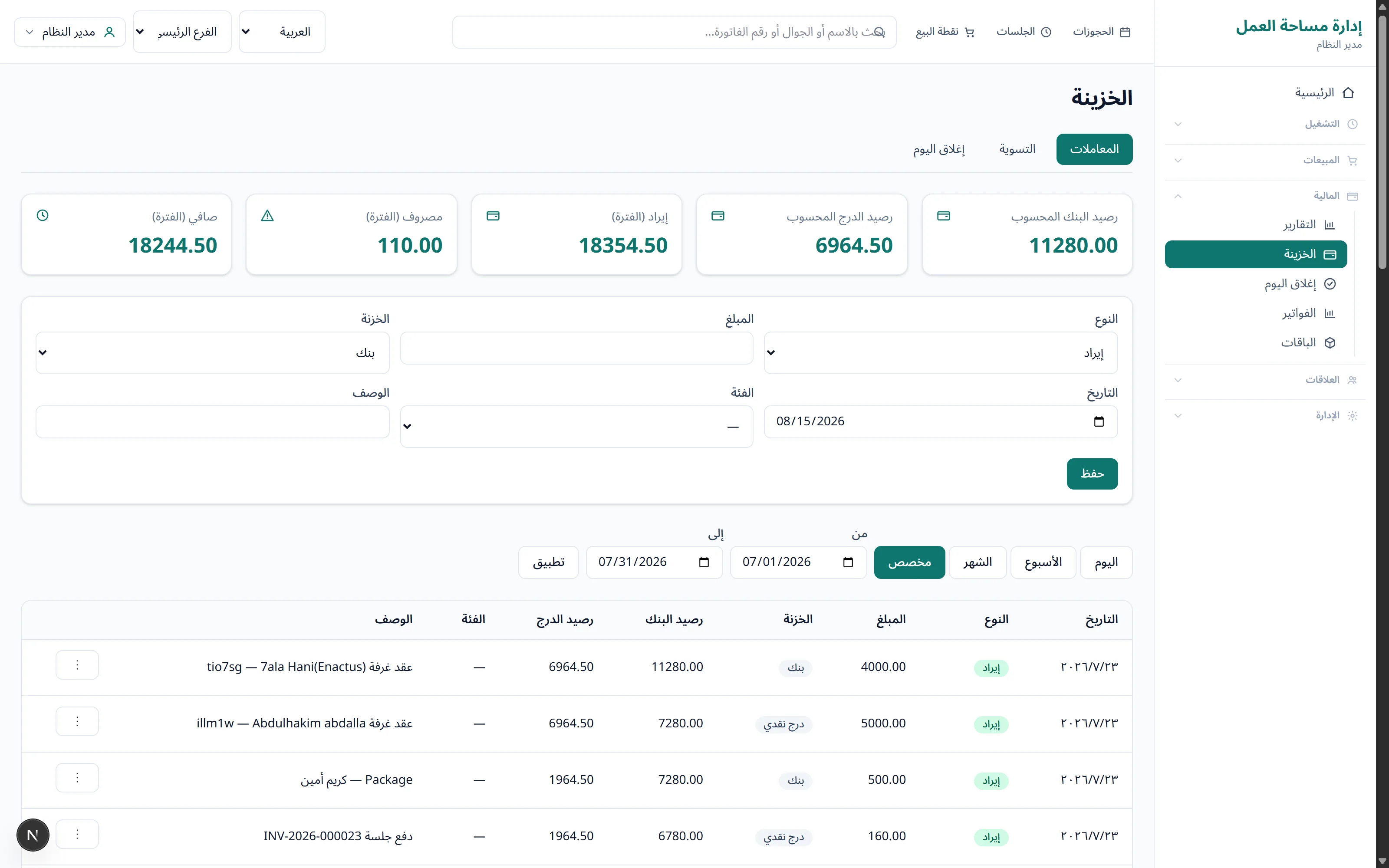
Bank and drawer are kept apart. Count the cash at the end of the day and close it.
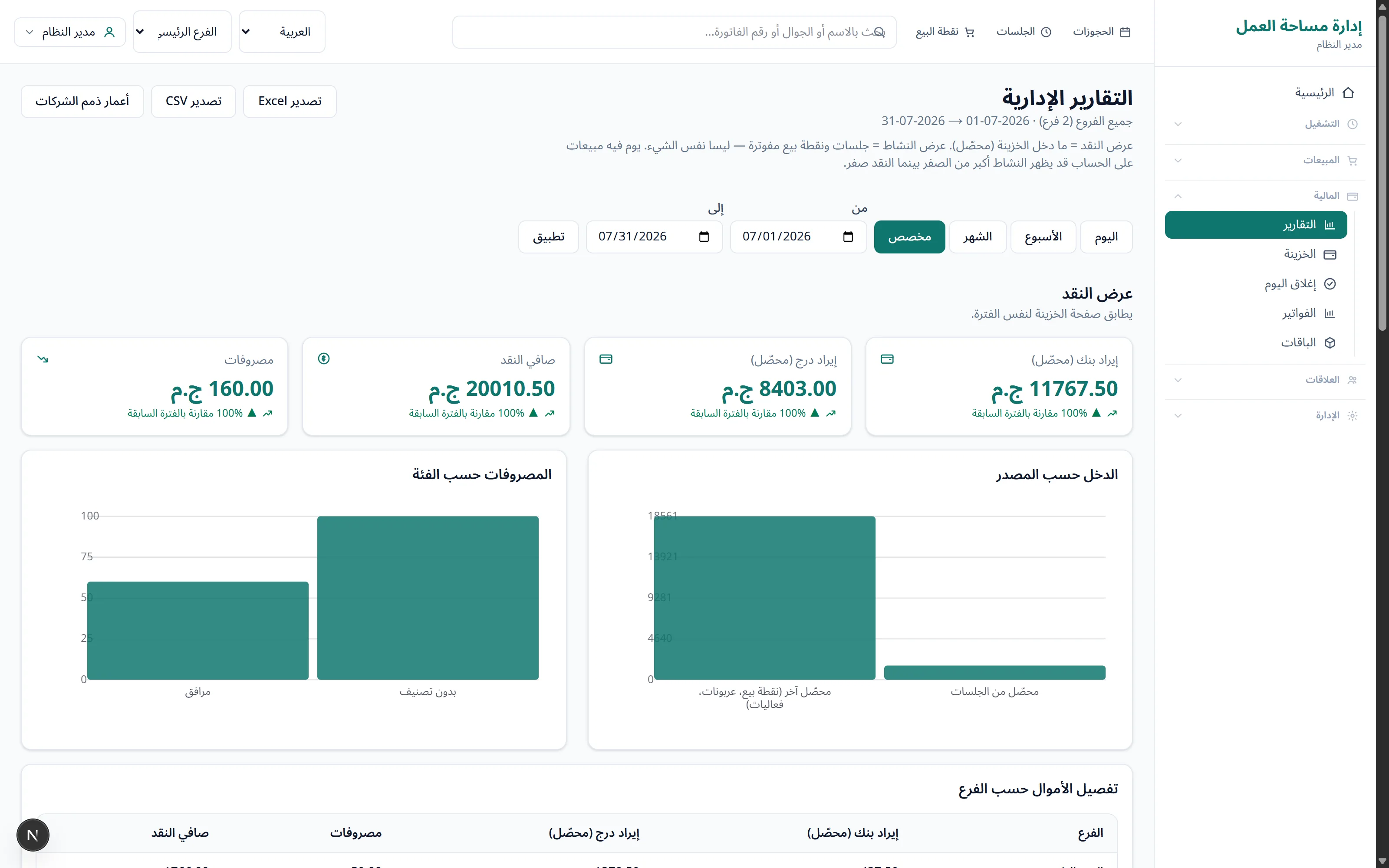
Revenue by source, occupancy and receivables. For one branch or all of them.
It is built for owners and managers of spaces that sell time and room. Whether you run one branch or several, the setup is the same, and you add branches as you grow.
Arabic first. Screens, reports and printed invoices are all in Arabic with a true right-to-left layout. English is one click away for team members who need it.
Yes. Add your branches, choose which branch each employee works in, and read reports per branch or combined.
The app runs on servers we host. You open it in the browser on a computer, tablet or phone, and you can export Excel, CSV or PDF at any time.
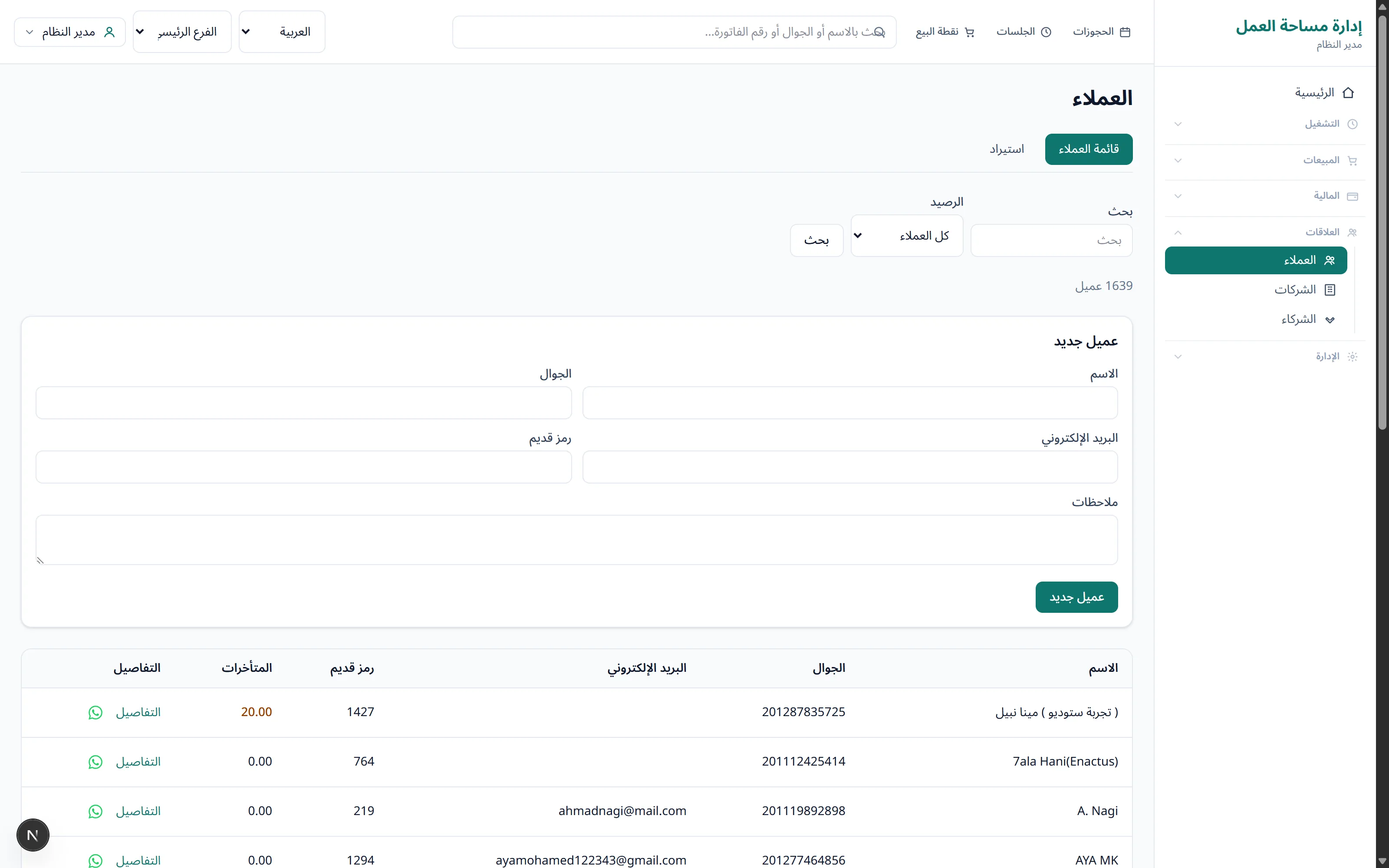
Yes. We import customers from an Excel file, you get a log with the result of every row, and your old customer codes stay as they are.
Yes. The screens adapt to the device and the app can be installed on the home screen. The point of sale is designed for fast keyboard use on a computer.
Pricing depends on the number of branches and the size of your operation. Message us on WhatsApp at +20 15 0111 0168 and we will send an offer once we understand your space.
Of course. Contact us and we will walk you through the app on screen and answer your questions.
Tell us how many branches you run and what you use today, and we will reply with details. If you are in a hurry, call us directly.
+20 15 0111 0168